











USB-C, HDMI and power
A single USB-C cable is possible only when the source port supports video and supplies enough power. HDMI carries video but normally needs a separate USB power connection. Check cables and port standards on both devices.
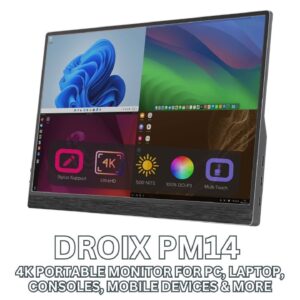
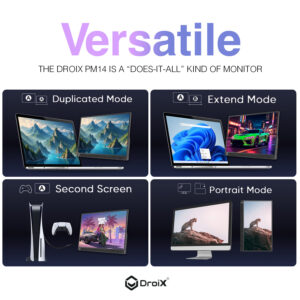
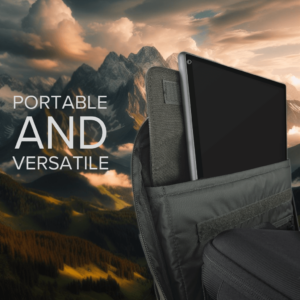
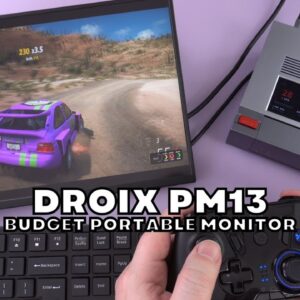
A portable monitor is a slim external display designed for travel, flexible desks and compact gaming setups. It can add a second screen to a laptop, enlarge a handheld gaming PC workspace or provide a temporary display for a mini PC.
DROIX portable displays cover USB-C and HDMI connectivity, touch and non-touch panels, different resolutions and gaming-focused refresh rates. Before buying, confirm that your source device supports video over USB-C or use HDMI, and check whether the monitor needs separate power for full brightness and features.
Balance workspace against portability: a larger panel is easier to use at a desk but takes more bag space. A protective cover or stand, compatible cable and suitable charger are part of the travel setup. Touch input, speakers, adaptive sync and high refresh rates are model-specific, so use the comparison and exact specifications rather than the screen resolution alone. Cable capability can be just as important as the connector shape.

1 372,01 kr.
3 267,88 kr.
2 410,06 kr.
2 753,19 kr.
1 019,36 kr.
Split your order into interest-free payments, or finance over longer terms. Pay in 3 from 304,84 kr. · 0% interest available
Buy now · Pay later
Plans shown are indicative, based on the lowest price in this category. Exact terms are confirmed by the provider at checkout.
 3 interest-free payments of 304,84 kr.
0% interest · pay one third today, then every 30 days
Læs mere
3 interest-free payments of 304,84 kr.
0% interest · pay one third today, then every 30 days
Læs mere
 Flexible financing available
Læs mere
Flexible financing available
Læs mere
18+, T&Cs apply. Credit subject to status & affordability checks. DROIX Ltd acts as a credit broker, not a lender, and offers finance from a panel of lenders. Choose your provider at checkout.
Viser alle 5 resultaterSorteret efter popularitet
| Best for | Connection | Resolution focus | Touch | Price band |
|---|---|---|---|---|
| Laptop second screen | USB-C or HDMI | 1080p or 2K | Optional | Entry to mid-range |
| Handheld PC gaming | USB-C DisplayPort or HDMI | 1080p/2K with suitable refresh rate | Optional | Mid-range |
| Creative detail and desktop use | USB-C or HDMI | 2K or 4K | Optional | Mid-range to premium |
| Touch workflows and presentations | USB-C plus compatible touch data path | 1080p to 4K | Yes | Mid-range to premium |
A single USB-C cable is possible only when the source port supports video and supplies enough power. HDMI carries video but normally needs a separate USB power connection. Check cables and port standards on both devices.
1080p is efficient and practical for travel; 2K and 4K add workspace and detail but require more graphics power. For gaming, match refresh rate and adaptive-sync support to the handheld or mini PC output.
DROIX has more than 12 years of specialist computing experience. Our regional stores show local pricing and tax information, with product-specific warranty, delivery and support details available before you order.
Choose a size and weight you will carry, a resolution suited to your work and a connection your laptop supports. USB-C video and power can make the setup much simpler.
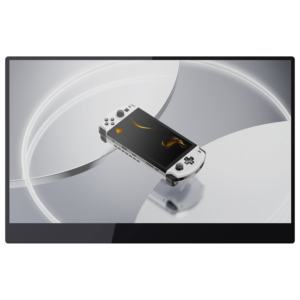
Yes, when the handheld supports compatible USB-C video output or HDMI through a dock or adapter. Confirm output resolution, refresh rate and power requirements.
Some can receive video and power from one compatible USB-C port. Higher brightness, touch or demanding modes may require a second USB power connection.
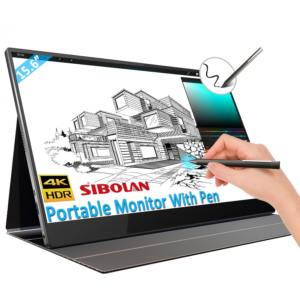
No. Video support does not automatically include touch data. Check operating-system support and whether the connection carries both video and USB touch input.
1080p offers good efficiency, 2K balances detail and performance, and 4K suits high-detail work when the source device can drive it comfortably.
Yes. HDMI is the most universal connection, while compatible USB-C ports can reduce cable clutter. The mini PC still needs its own keyboard and pointing device.